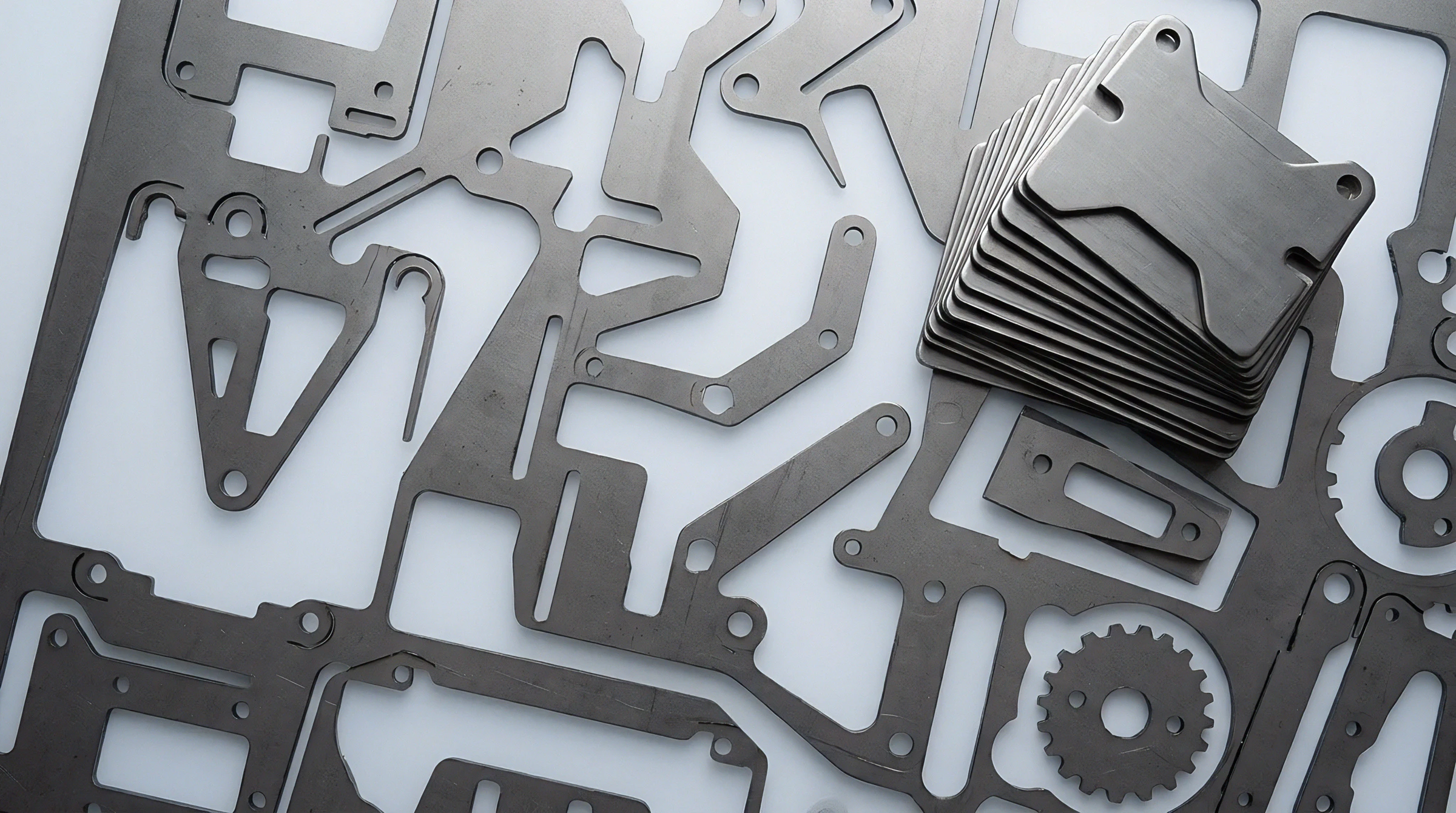
A 2 mm (0.079 in) sheet of 304 stainless measuring 2,500 by 1,250 mm (98 by 49 in) weighs about 50 kg (110 lb), taking the 8.03 g/cm³ density Cleveland-Cliffs prints for the alloy. The same size in 5052 aluminum weighs under 17 kg (37 lb), at the nominal density of 2.68 g/cm³ (0.097 lb/in³) the Aluminum Association lists for the alloy. Cutting either sheet takes a laser machine of 11,700 kg (25,800 lb) with a 3,000 by 1,500 mm working range, per TRUMPF’s data for the TruLaser 3030 fiber.
A batch of sheet metal parts is bought in parts but made in sheets. The sections below turn one into the other: how many parts a sheet yields, how many sheets a quantity takes, how long a sheet stays under the beam, and what happens to the parts after the last cut.
Parts per Sheet and Sheets per Batch
Parts per sheet is a layout problem, and it sets everything after it. A buyer who knows the blank size, the sheet size and the gap between parts can work out the count on paper. The gap and the edge margin are choices, so every figure below is an assumed case and not a shop’s rule.
Take a flat blank of 180 by 110 mm (7.1 by 4.3 in) in 2 mm 304, laid on a stock sheet of 2,500 by 1,250 mm. Keep a 10 mm (0.39 in) margin at every sheet edge and 10 mm between parts. The usable area is 2,480 by 1,230 mm, the pitch is 190 by 120 mm, and the sheet holds 13 across and 10 down, which is 130 parts. Together the blanks cover 2.57 m² of a 3.125 m² sheet, a use of about 82 percent.
| Parts ordered | Sheets needed | Parts the sheets yield | Sheet mass at 50.2 kg each |
|---|---|---|---|
| 50 | 1 | 130 | 50 kg (111 lb) |
| 130 | 1 | 130 | 50 kg (111 lb) |
| 300 | 3 | 390 | 151 kg (332 lb) |
| 1,000 | 8 | 1,040 | 402 kg (885 lb) |
Two things show in the table. A batch of 50 costs the same sheet as a batch of 130, since the sheet is the unit of material, so a small order is better rounded up to a full sheet if the parts will be used. And the yield of a sheet is a whole number: 130 parts, never 130.4. A change of 10 mm in the blank can drop a row and move the sheet count at the next order. Where a design can give a few millimeters, a check of the nest before the drawing is frozen can save a whole sheet on every repeat.
The sheet is the unit of material. A batch is rounded to the next sheet, and the extra parts are either kept or scrapped.
The mass column matters because sheet handling has limits, and the stock size is not the only choice. In the 2,500 by 1,250 mm size, a 1.5 mm 5052 sheet comes to about 12.6 kg (28 lb) and a 3 mm sheet about 25.1 kg (55 lb) at 2.68 g/cm³. Steel and stainless at the same thickness weigh roughly three times as much, so a full 3 mm stainless sheet comes to about 75 kg (166 lb).
How a Nest Packs Parts Onto a Sheet
A nest is the arrangement of parts on a sheet, produced by software from the cut files. The software has three things to balance: spacing between parts, the order of cuts, and where the beam enters each contour.
Kerf matters first. The beam removes a slot, so the cut path is offset by half the kerf on each side. TRUMPF says the focal spot is often under 0.5 mm (0.02 in) and the kerf barely wider than the beam, so the compensation is small, and it matters most on tight mating cutouts. Spacing is a trade between material and cut quality, since a thin web between two parts carries the heat of both cuts, so a nest leaves more than the kerf between parts.
Rotation is the second choice. A part can usually turn through 90 or 180 degrees to fit, but a part that bends is tied to the grain of the sheet. SSAB notes that grains in rolled steel are elongated in the rolling direction, so a bend across the rolling direction usually survives a tighter radius than one along it, and its bending tables give a separate minimum radius for each. A nest of bent parts therefore locks the part’s bend lines to the sheet’s rolling direction, and the rotation that gave the best fit is sometimes not allowed.
- Parts that bend keep their bend lines across the grain where radius is tight.
- Parts that are only cut and welded rotate freely.
- Parts of different thickness cannot share a sheet, so a mixed order is nested one thickness at a time.
Cut Time for One Sheet
The beam’s time on a sheet is contour length divided by cutting speed, plus the time to pierce and move. Take the 130 blanks of Table 1. Each has a contour of 2 × (180 + 110) = 580 mm, so a sheet carries 75.4 m (247 ft) of cut, and 130 pierces.
GWEIKE’s parameter tables put 2 mm stainless at 25 to 30 m/min on a 6 kW fiber laser, with nitrogen at 10 to 12 bar. At those speeds the 75.4 m takes 2.5 to 3.0 minutes of cutting. The same tables put 2 mm 5052 aluminum at 20 to 25 m/min on 6 kW, which gives 3.0 to 3.8 minutes. TRUMPF lists a maximum simultaneous axis speed of 170 m/min on its 3030 fiber, so travel between contours is fast and the cutting speed, not the traverse, sets the pace.
Add the pierces and the small moves between them and the cut is a few minutes per sheet. That is the line to hold in mind: a sheet is a matter of minutes at the laser, and the days in a lead time lie elsewhere, in material arrival, bending, welding, finishing and inspection.
For thick plate the picture reverses. GWEIKE’s oxygen table gives 25 mm carbon steel at 0.4 to 0.5 m/min on 6 kW, so a single 580 mm contour takes more than a minute of beam time, plus the long pierce described in the laser cutting piece of these resources, and the number of holes becomes the cost driver.
Machine Format and What It Takes to Cut a Sheet
The cutter’s table has to hold the sheet, and the laser’s power has to reach the thickness. TRUMPF publishes both for the TruLaser 3030, 3040, 3060 and 3080 fiber family.
| Model | Working range, X by Y | Heaviest workpiece, no heavy-duty changer | With heavy-duty changer |
|---|---|---|---|
| 3030 fiber | 3,000 by 1,500 mm (118 by 59 in) | 1,100 kg (2,425 lb) | 1,800 kg (3,970 lb) |
| 3040 fiber | 4,000 by 2,000 mm (157 by 79 in) | 2,000 kg (4,410 lb) | 3,300 kg (7,275 lb) |
| 3060 fiber | 6,000 by 2,500 mm (236 by 98 in) | 2,900 kg (6,395 lb) | 4,900 kg (10,800 lb) |
| 3080 fiber | 8,000 by 2,500 mm (315 by 98 in) | 4,710 kg (10,385 lb) | 7,850 kg (17,305 lb) |
A 2,500 by 1,250 mm sheet sits inside the working range of every model, and the 3030 has 500 mm (20 in) to spare along X and 250 mm (10 in) along Y. TRUMPF’s page does not list loadable sheet sizes, so the range gives the area the head can travel, not a promise about every stock sheet.
Power changes the pace more than the table does. GWEIKE’s tables put 2 mm stainless at 6 to 7 m/min on a 1 to 1.5 kW laser, against 25 to 30 m/min on 6 kW, so the same nest is four times slower on the smaller source. A buyer who asks which laser power and table the order is nested for gets an answer that explains the schedule.
Laser Power and the Thickness a Machine Reaches
The machine behind a batch is chosen by thickness. TRUMPF prints the thickest cut for each laser power on the same family of machines, and the figures show where one power stops and the next begins.
| Laser power | Mild steel | Stainless steel | Aluminum |
|---|---|---|---|
| 6 kW | 25 mm (0.98 in) | 25 mm (0.98 in) | 25 mm (0.98 in) |
| 9 kW | 25 mm (0.98 in) | 40 mm (1.57 in) | 30 mm (1.18 in) |
| 12 kW | 30 mm (1.18 in) | 40 mm (1.57 in) | 30 mm (1.18 in) |
| 24 kW | 40 mm (1.57 in) | 40 mm (1.57 in) | 40 mm (1.57 in) |
TRUMPF lists larger limits with its thick-sheet package, for example 32 mm in mild steel at 6 kW and 60 mm at 24 kW, and gives the average production power input as 11 kW for the 6 kW laser and 27 kW for the 24 kW one. The sheet metal parts in most batches sit well below these limits, in the 1 to 6 mm range, where GWEIKE’s tables show the cut speed in meters per minute rather than fractions of one.
Near the top of the range the difference grows. A part in 20 mm stainless is cut at 0.2 to 0.35 m/min on 6 kW, per GWEIKE, and at 1.2 to 1.4 m/min on 12 kW. Parts of that kind take four to six times as long on the smaller laser, which makes machine power a lead-time question as well as a thickness one.
Laser power sets the speed in thick sheet and little else. Below 6 mm the difference in cut time is minutes per sheet.
Sorting Parts From the Skeleton After the Cut
When the cut is done, a sheet holds the parts, the web between them, and the loose scrap. The parts are lifted out and the skeleton leaves. TRUMPF lists the equipment that does this: LiftMaster Sort separates finished parts from the scrap skeleton, SortMaster sorts finished parts automatically, and Part Station sorts detached parts into boxes by order, a step TRUMPF credits with a time saving of up to 80 percent.
The same list names LoadMaster for loading raw sheets, LiftMaster Compact for loading and unloading, and TruStore storage towers that connect directly to the cutter. For a batch of hundreds those machines are not needed, and sorting by hand is the norm. With many part numbers in one batch, they earn their place.
Whether sorted by machine or by hand, the point of this step is to keep each part on its order. A nest with six different parts for two assemblies is a kit problem: the parts come out of the same sheet and go into the right box, or the assembly stalls.
- Label the box by part number at the cutter, before the parts travel to bending.
- Count the parts of each sheet against the nest, since a missing part shows at once.
- Keep each sheet’s parts together until the first piece is accepted.
Material Lots, Remnants and Repeat Orders
A sheet comes from a coil or a stock plate, and two lots of the same grade are not identical. ArcelorMittal’s tolerance tables show how a coil is ordered: a 25-tonne coil, 1,250 mm wide, with a 762 mm inside diameter, has an outside diameter of 1,960 mm. A lot has a certificate, and a repeat order may come from a different heat and different mill.
For parts that bend, the lot shows up in the angle. For parts that are cut and welded, it shows up less. Either way, a batch cut in two sittings from two lots can differ in springback by a fraction of a degree, so the first piece of the second sitting is checked as the first piece of the first.
The remnant, the part of the sheet left over, is a decision as well. A nest that fills 82 percent of the sheet leaves 18 percent as skeleton and margin. A shop may keep a clean remnant for a later order of the same grade and thickness, though a remnant without a certificate is a remnant that cannot be used for traced parts.
Splitting a Quantity Into Releases
A quantity can be cut at once or in releases, and the choice is made by the sheet count. With 130 parts per sheet, a batch of 300 is three sheets, and releasing it as 130, 130 and 40 means three cuts with a partly used third sheet. Releasing it as 150 and 150 does not map to sheets at all, since the second release starts mid-sheet.
A repeat order is the case that rewards a saved nest. The same file, with the same spacing, margin and kerf compensation, yields the same part count and the same part size. A nest made fresh for the second order by a different programmer can pack the sheet a little differently, and a part cut with a different lead-in has a slightly different edge.
For that reason the nest, the cutting gas and the first-piece measurement go into the job record, and a repeat batch is cut from the record rather than from memory. The first-piece check then compares the new part with the old one, not only with the drawing.
What to Give the Shop for a Batch
A batch is easier to schedule when the order states a few things about the sheet, the nest and the release.
- State the material grade, thickness and finish, as the sheet is bought to that description.
- State the quantity, and say whether a few parts more are welcome, since a full sheet yields them anyway.
- State whether the batch is released in one cut or in several, because each cut is a new setup and a new lot risk.
- State the bend and weld that follow, so the nest keeps the grain and the edge condition the next step needs.
A run that starts as a few laser cut sheets and then grows into hundreds of parts can move through low-volume sheet metal production and on into bridge production with the same nest, the same material lot rules and the same first-piece check.
Sources and Further Reading
- TRUMPF, TruLaser 3030 fiber, 3040 fiber, 3060 fiber (working range, laser power and thickness, pallet changer, automation). https://www.trumpf.com/en_GB/products/machines-systems/2d-laser-cutting-machines/trulaser-3030-fiber-3040-fiber-3060-fiber/
- TRUMPF, Laser Cutting application page (focal spot and kerf). https://www.trumpf.com/en_GB/applications/laser-cutting/
- GWEIKE, Parameter Guide, Fiber Laser Cutting (speeds). https://gwklaser.com/fiber-laser-cutting-parameters-guide.html
- Cleveland-Cliffs, 304 / 304L Stainless Steel product data (density). https://www.clevelandcliffs.com/_assets/_55901e6ecec4b7127f2b520e9bb71227/clevelandcliffs/db/1190/10510/file/CLF_ProductData_304-304LSS_052021.pdf
- ArcelorMittal Europe Flat Products, Tolerance and conversion tables (coil weight chart; fetched copy, URL not recorded).
- Recommendations, How to Set Up the Work Piece, SSAB
- International Alloy Designations and Chemical Composition Limits for Wrought Aluminum and Wrought Aluminum Alloys, revised August 2018, The Aluminum Association